
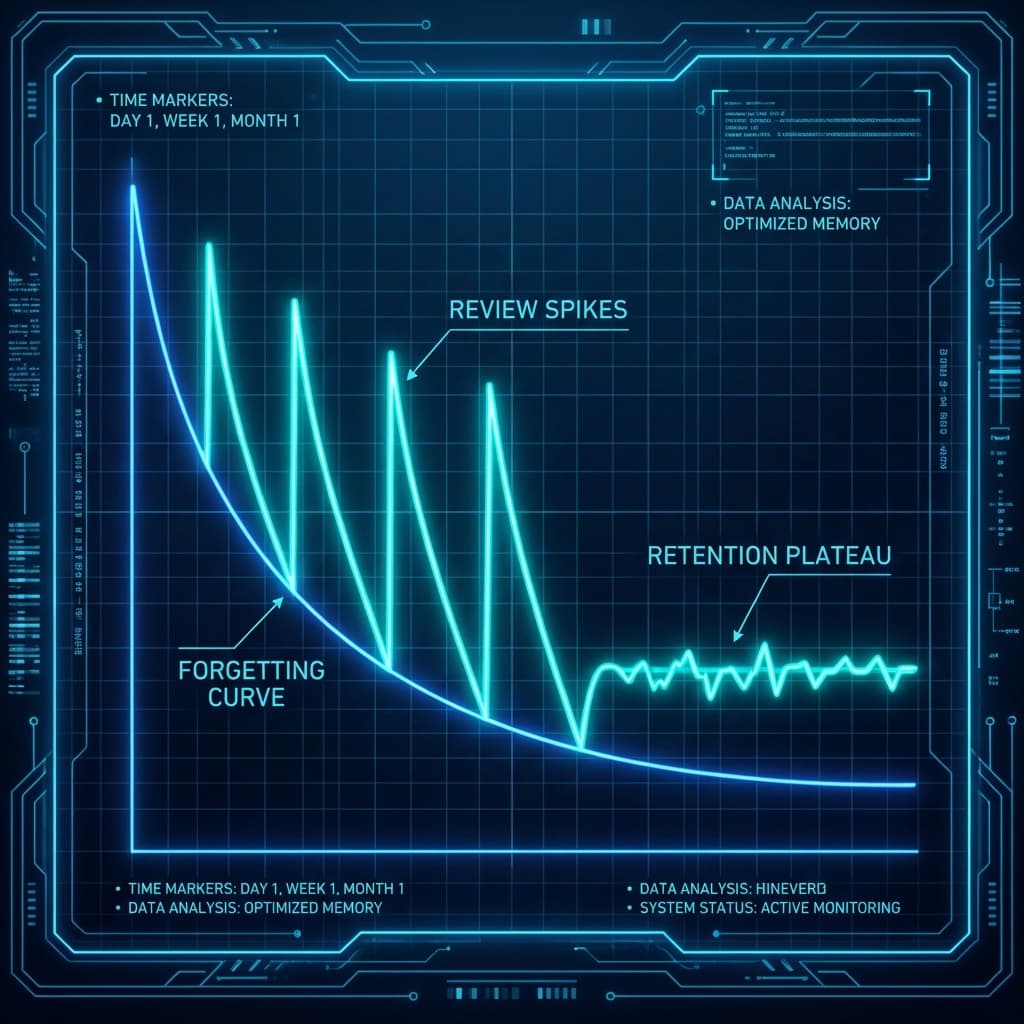
この記事の要点(UIXHERO視点) UIXHEROでは、忘却曲線を「ツールを使わなくなる最大の要因」と捉える。 本記事では、オンボーディングでの詰め込みを避け、必要な瞬間に必要な情報を提示する「Just-in-Time」な学習設計を整理する。
忘却曲線とは?
ドイツの心理学者ヘルマン・エビングハウスが1885年に発表した実験結果です。 「子音・母音・子音」からなる無意味な音節(例:WID, ZOF)を記憶し、時間経過とともに「どれくらい節約できたか(再学習にかかる時間がどれくらい短くなったか)」を測定しました。
UXデザインでの活用事例
1. オンボーディングの分割(Just-in-Time)
初回起動時にすべての機能を説明(チュートリアル)しても、ユーザーは翌日には74%を忘れています。一度に教えるのではなく、 「機能を使うその瞬間」に教える(コンテキストヘルプ) 方が、ユーザーの記憶負担が少なく、定着率も高まります。
2. 学習アプリのデザイン(Spaced Repetition)
DuolingoやAnkiなどの学習アプリは、この理論をアルゴリズムに組み込んでいます。ユーザーが「忘れかけたタイミング(忘却曲線が下がりきった時)」を狙って、以前間違えた問題を出題することで、最も効率的に記憶を長期記憶へと移行させます。
3. 再エンゲージメント(リマインダー)
ECサイトで「カートに入れたまま忘れている商品」や、SaaSで「使っていない機能」をリマインドするメールは、ユーザーの記憶を呼び覚ますための「復習」の役割を果たしています。定期的に(しかし頻繁すぎず)接触することで、ブランドの存在を忘れられないようにします。
実装例: 分散学習スケジューラー
ユーザーが学習したタイミングに基づいて、次回の最適な復習日(1日後、7日後、30日後...)を計算し提示するUIの例です。
Interactive Example (Live)
const SpacedRepetitionDemo = () => { const [history, setHistory] = useState([]); const addReview = () => { const today = new Date(); // 実際の実装ではDBに保存しますが、ここではデモ用にリストに追加 const nextIntervals = [1, 3, 7, 14, 30]; // Days const stage = history.length; if (stage >= nextIntervals.length) { alert("Mastered! 記憶が長期記憶に移行しました!"); return; } const nextDays = nextIntervals[stage]; const nextDate = new Date(); nextDate.setDate(today.getDate() + nextDays); setHistory([...history, { date: today.toLocaleDateString(), next: nextDate.toLocaleDateString(), interval: nextDays }]); }; const reset = () => setHistory([]); return ( <div className="p-6 bg-card rounded-xl shadow-lg border max-w-sm mx-auto"> <div className="text-center mb-6"> <h3 className="font-bold text-lg">単語カード: "Ephemeral"</h3> <p className="text-sm text-muted-foreground">意味: つかの間の、儚い</p> </div> <div className="flex justify-center mb-6"> <button onClick={addReview} disabled={history.length >= 5} className="px-6 py-3 bg-green-600 text-white rounded-full font-bold shadow-lg hover:bg-green-700 active:scale-95 transition-all disabled:opacity-50" > {history.length === 0 ? "覚えた! (学習完了)" : "復習した!"} </button> </div> <div className="bg-muted p-4 rounded-lg"> <h4 className="text-xs font-bold text-muted-foreground uppercase mb-2">学習ログ & 次回の予定</h4> {history.length === 0 ? ( <p className="text-sm text-center py-4 opacity-50">まだ学習記録がありません</p> ) : ( <ul className="space-y-2 text-sm"> {history.map((log, i) => ( <li key={i} className="flex justify-between items-center bg-background p-2 rounded border"> <span>Lv.{i+1} 完了</span> <span className="text-xs text-primary font-bold"> 次は {log.interval}日後 ({log.next}) </span> </li> ))} </ul> )} </div> {history.length > 0 && ( <button onClick={reset} className="w-full mt-4 text-xs text-muted-foreground hover:text-red-500 underline"> リセットする </button> )} </div> ); }; render(<SpacedRepetitionDemo />);
実践ガイドライン (Practical Guidelines)
実装チェックリスト
倫理的配慮 (Ethical Considerations)
- 過剰な通知 : 「忘れないように」という名目で、ユーザーに頻繁すぎる通知を送ることは、単なるスパムであり、ユーザー体験を損ないます(アラート疲労)。頻度とタイミングは慎重に調整してください。
